Bank statement converter for Excel and CSV
Nectabl turns PDF bank statements into a spreadsheet with one row for each transaction. Each row has the date, description, amount and running balance, plus the account, bank and period. Money out is a negative number and money in is a positive number. Nectabl checks each row's balance against the row above it. If a transaction is missing or misread, Nectabl marks it, so the mistake doesn't go into your books unnoticed.
Upload a statement One or two statements fit in the free 20 pages. No credit card needed.
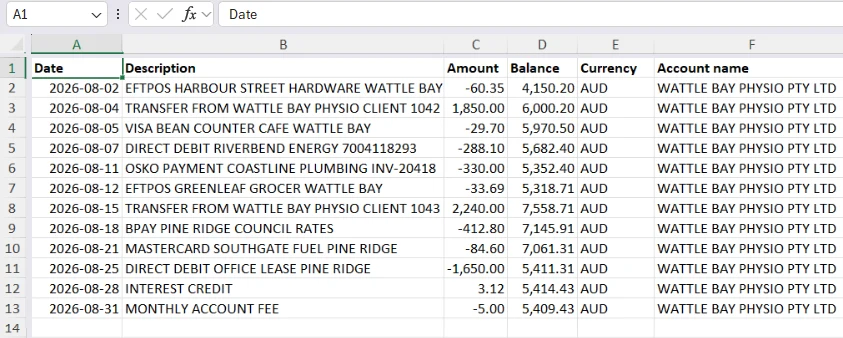
What each statement gives you
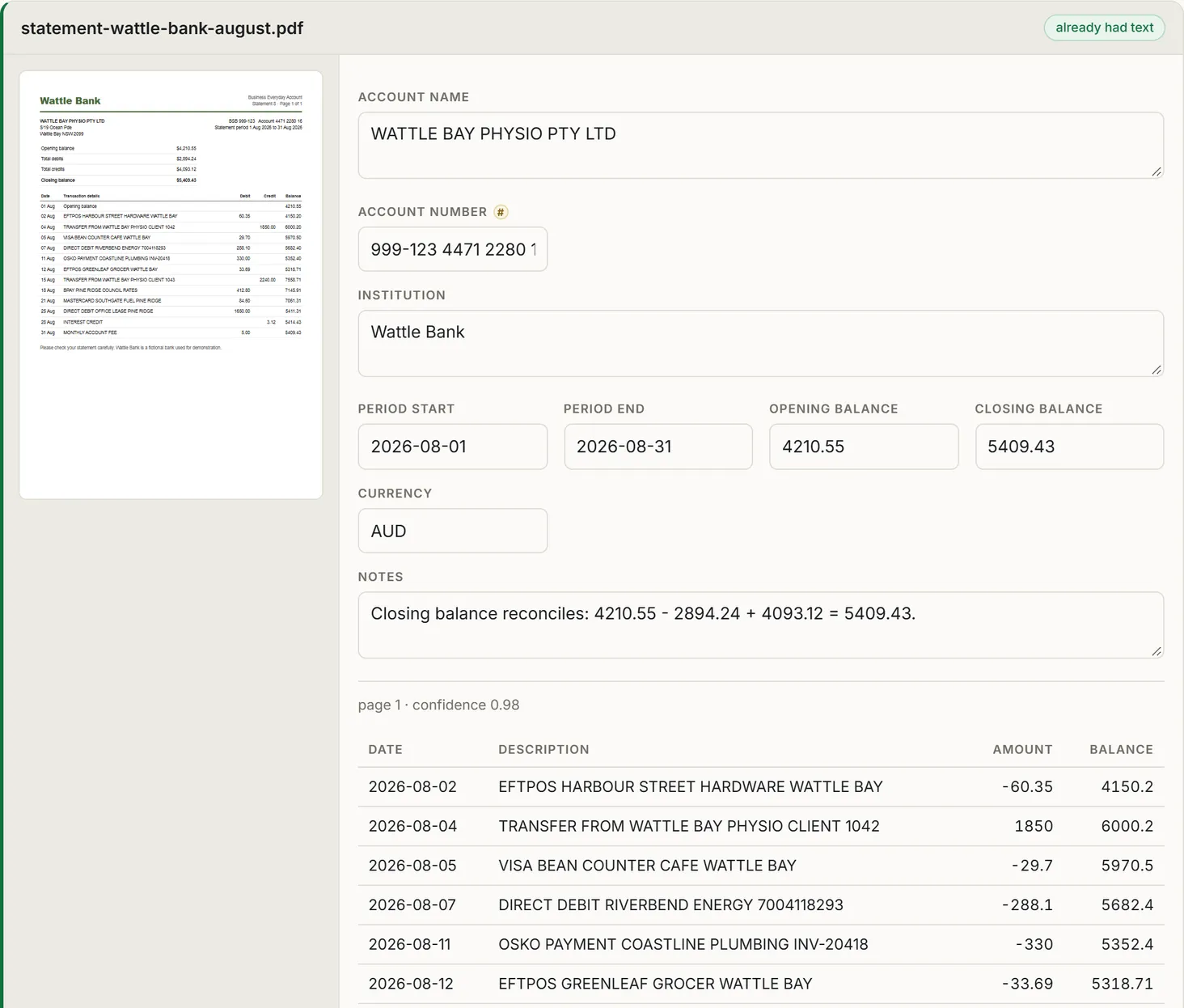
Where your statements go
- Files are deleted automatically 30 days after upload.
- Only one AI provider reads them, and they're never used to train AI models.
- They're never written to logs, and only your own account can see them.
The privacy policy has the details.
Bank statement questions
Which banks does it work with?
Nectabl works with statements from any bank. It doesn't need a separate setup for each bank. An unusual layout may need a small correction, but it will rarely fail.
Can I convert several accounts at once?
Yes. Upload one folder for each account, and each account gets its own sheet.
I only need to convert one year of statements. Do I need a subscription?
No. You can buy a page pack, and its pages never expire. See the pricing page.